Introduction Selenium Official Website: https://www.selenium.dev/ Selenium is a powerful automation testing toolset that encompasses a range of tools and libraries for automating web browsers. It includes the following three projects: Selenium WebDriver Seleni…
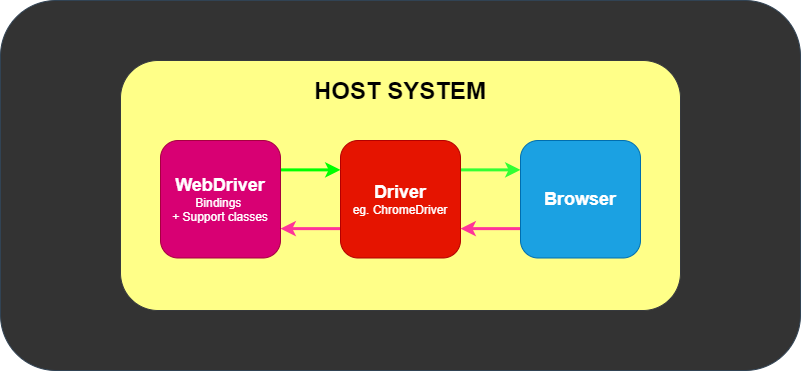
介绍 Selenium 官网:https://www.selenium.dev/ Selenium 是功能强大的自动化测试工具集,是支持 Web 浏览器自动化的一系列工具和库的总括项目,一共包括以下三个项目: Selenium WebDriver Selenium IDE Selenium Grid Selenium 的核心是 WebDriver,可以在许多浏览器中交换运行,WebDriver 以原生的方式驱动浏览器,。 WebDriver 架构设计如下: 对每种浏览器编写一个 Driver,如 ChromeDri…

void Main() { string str = "A-A01A05-A01-01-02"; byte[] data = new byte[16]; var span = data.AsSpan(); ulong l = 0; int index = 1; int count = 0; for (int i = 0; i < str.Length; i++) { var value = HashFind.GetValue(str[i]); if (index <= 10) { l…
void Main() { string str = "A-A01A05-A01-01-02"; byte[] data = new byte[16]; var span = data.AsSpan(); ulong l = 0; int index = 1; int count = 0; for (int i = 0; i < str.Length; i++) { var value = HashFind.GetValue(str[i]); if (index <= 10)[......]继续阅读
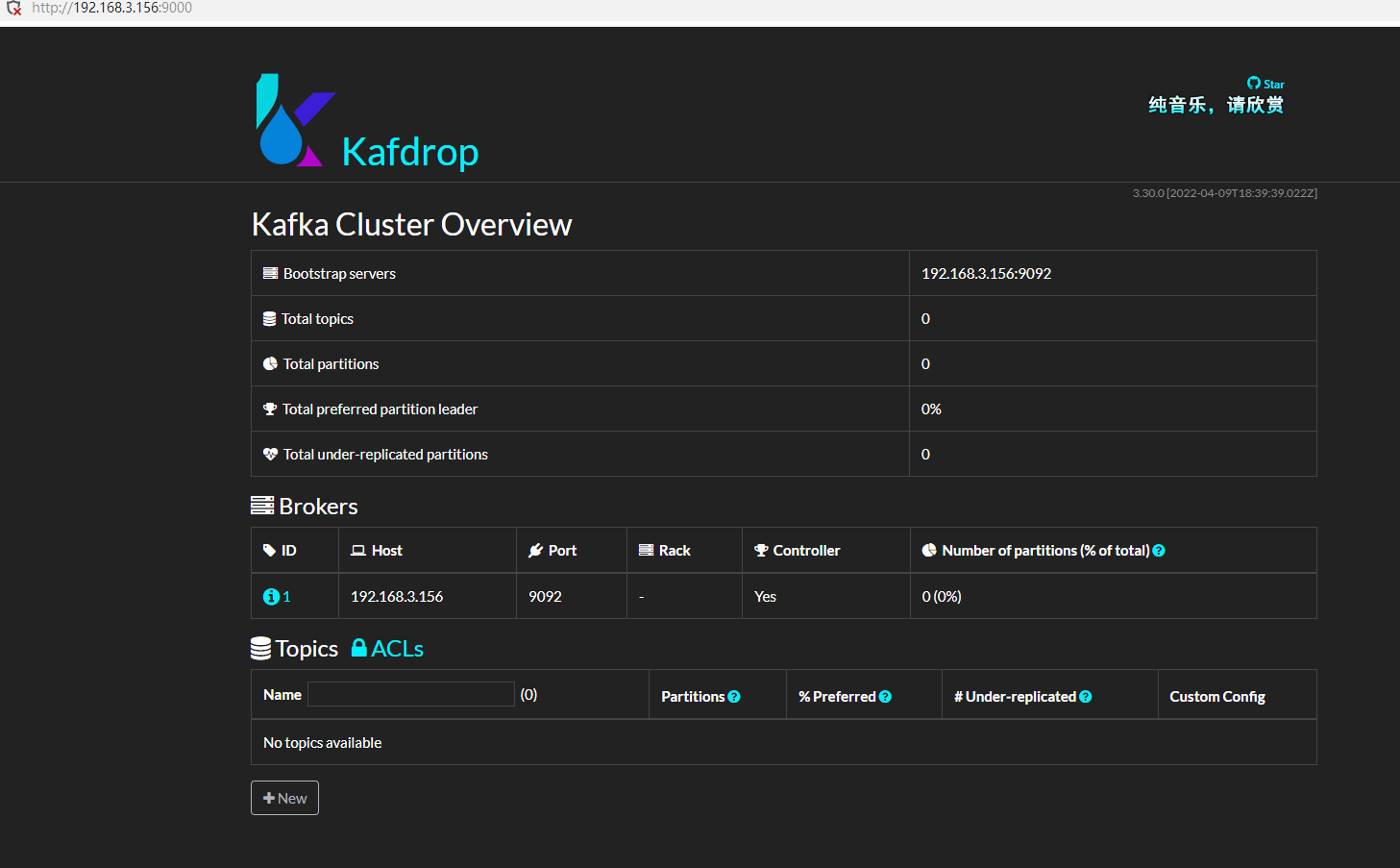
[TOC] Author: whuanle Personal Website: https://www.whuanle.cn Blog: https://www.cnblogs.com/whuanle/ Tutorial Link: https://kafka.whuanle.cn/ This tutorial is about Kafka knowledge, practicing writing Kafka programs in C# while learning about Kafka. The conte…
[TOC] 作者:痴者工良 个人网站:https://www.whuanle.cn 博客园:https://www.cnblogs.com/whuanle/ 本教程地址:https://kafka.whuanle.cn/ 本教程是关于 Kafka 知识的教程,从 C# 中实践编写 Kafka 程序,一边写代码一边了解 Kafka。 教程内容是过年期间写的,写到一半假期结束要上班了,将已完成的部分整理出来,就不继续写了。 1, 搭建 Kafka 环境 本章的内容比较简单,我们将使用 Docker 快速部署一个单节点的…

这里是笔者在开发 MAUI 应用时踩的坑,以及一些笔记的汇总。 不得不说 MAUI 挺垃圾的。 如果不是 Mono 金玉在前,估计社区不会有多少人关注败絮 MAUI。 目前 .NET 已经升级到 7.0,但是 MAUI 还是一如既往的拉跨,如果开发过 MAUI,做过定制,自定义标题栏之类的,便会发现 MAUI 有多难受。 MAUI 不知道跟 UWP 有啥关系,但是 MAUI 很多东西感觉都是在延续 UWP 的设计,而且 MAUI 也很可能是下一个 UWP。 如果是 Windows 或者 Linux 桌面开发,建议 …
这里是笔者在开发 MAUI 应用时踩的坑,以及一些笔记的汇总。 不得不说 MAUI 挺垃圾的。 如果不是 Mono 金玉在前,估计社区不会有多少人关注败絮 MAUI。 目前 .NET 已经升级到 7.0,但是 MAUI 还是一如既往的拉跨,如果开发过 MAUI,做过定制,自定义标题栏之类的,便会发现 MAUI 有多难受。 MAUI 不知道跟 UWP 有啥关系,但是 MAUI 很多东西感觉都是在延续 UWP 的设计,而且 MAUI 也很可能是下一个 UWP。 如果是 Windows 或者 Linux 桌面开发,建议 …
fio stands for Flexible IO Tester, which is a block volume performance testing tool based on Linux instances. https://docs.oracle.com/en-us/iaas/Content/Block/References/samplefiocommandslinux.htm The testing command is as follows: fio -filename=/tmp/test.file…
fio 即 Flexible io tester,基于 Linux 实例的块卷性能测试。 https://docs.oracle.com/en-us/iaas/Content/Block/References/samplefiocommandslinux.htm 测试命令如下: fio -filename=/tmp/test.file \ -direct=1 \ -iodepth 1 \ -thread -rw=randrw \ -rwmixread=70 \ -ioengine=psync \ -bs=4k \ …
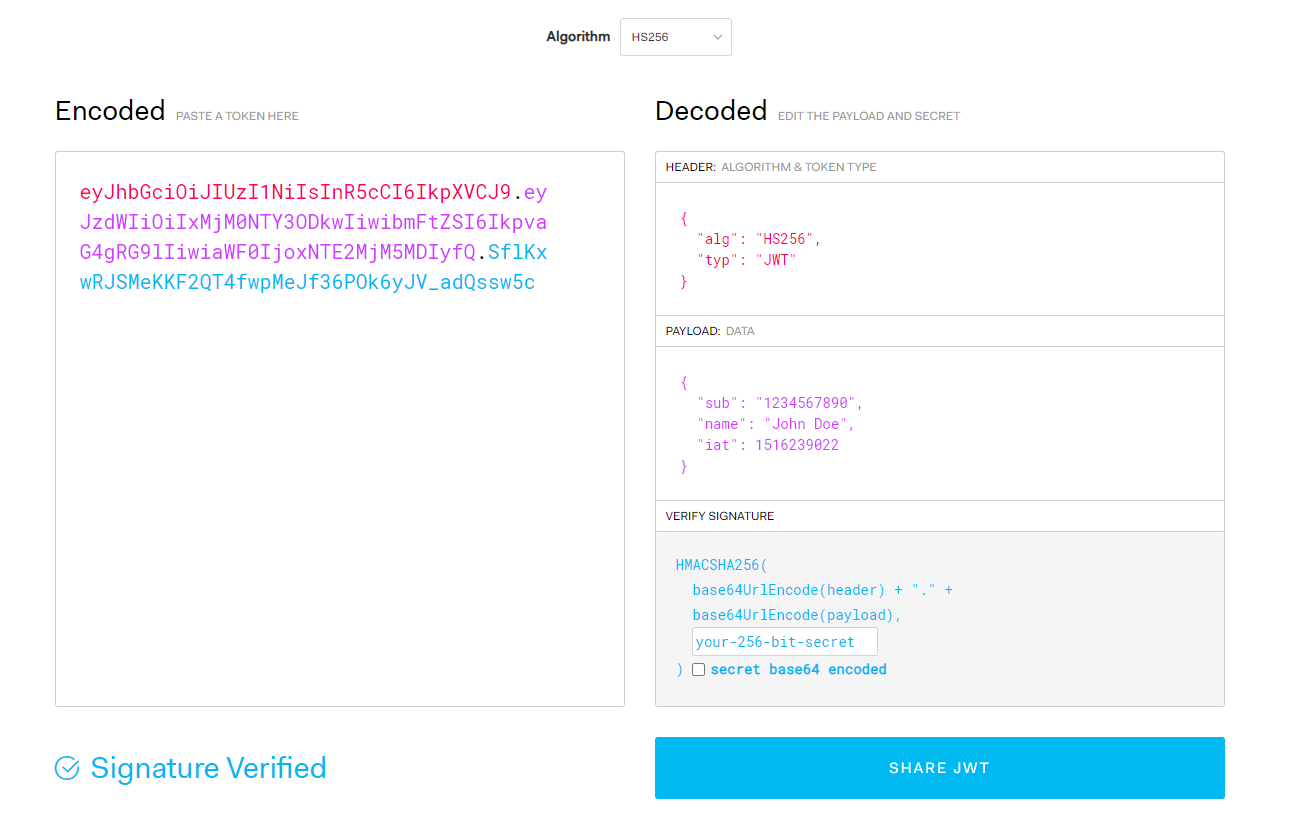
本文内容: JWT Token JWT Token Issuance JWT Signature Verification JWT Security Check Token Principles Visit https://jwt.io/ to see a default page with an automatically generated token and information about this token on the right side. The default token is as foll…
本文内容: JWT Token JWT Token颁发 JWT 签名验证 JWT 安全检验 Token 原理 打开 https://jwt.io/ ,进入后会看到默认页面有一段自动生成的 token,右边是关于这个 token 的信息。 可以看到默认有一段 token: eyJhbGciOiJIUzI1NiIsInR5cCI6IkpXVCJ9.eyJzdWIiOiIxMjM0NTY3ODkwIiwibmFtZSI6IkpvaG4gRG9lIiwiaWF0IjoxNTE2MjM5MDIyfQ.EJzdDeNLOQhy…
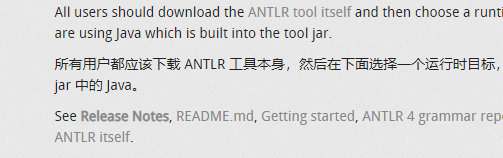
Environment Setup and Generation First, install Java version 8 or above. Open https://www.antlr.org/download.html, find "ANTLR tool itself", or directly click on https://www.antlr.org/download/antlr-4.11.1-complete.jar to download the package. Then o…
环境搭建和生成 首先安装 Java 8 以上的版本。 打开 https://www.antlr.org/download.html, 找到 "ANTLR tool itself ",或者直接点击 https://www.antlr.org/download/antlr-4.11.1-complete.jar 下载包。 然后打开 https://github.com/antlr/grammars-v4 下载对应语法分析模板。 执行命令生成 java 代码。 java -jar antlr-4.11…
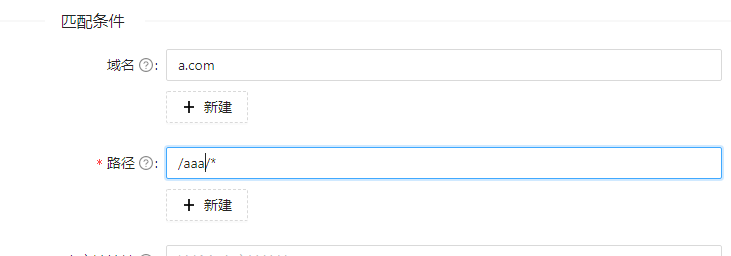
场景,访问 a.com/aaa 时,反向代理 127.0.0.1:9999/ 服务,自动将路径后缀路径转发。 如果访问 a.com/aaa/bbb,实际请求 127.0.0.1:9999/bbbb。 首先设置路径区配: 接着设置请求改写: ^/aaa(/|$)(.*) [......] 继续阅读
场景,访问 a.com/aaa 时,反向代理 127.0.0.1:9999/ 服务,自动将路径后缀路径转发。 如果访问 a.com/aaa/bbb,实际请求 127.0.0.1:9999/bbbb。 首先设置路径区配: 接着设置请求改写: ^/aaa(/|$)(.*) [......] 继续阅读
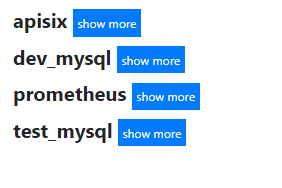
First, create a new user in the database: CREATE USER 'exporter'@'%' IDENTIFIED BY 'promethues' WITH MAX_USER_CONNECTIONS 3; GRANT PROCESS, REPLICATION CLIENT, SELECT ON *.* TO 'exporter'@'%'; flush privileges; exporter is the username, and promethues is the p…
首先在数据库中创建新的用户: CREATE USER 'exporter'@'%' IDENTIFIED BY 'promethues' WITH MAX_USER_CONNECTIONS 3; GRANT PROCESS, REPLICATION CLIENT, SELECT ON *.* TO 'exporter'@'%'; flush privileges; exporter 是用户名,promethues 是密码。 定义连接数据库的配置文件(my.cnf): [client] host=127.0.0.1 …
Standalone Version First, create a virtual network for communication between applications: docker network create apisix-network --driver bridge Create etcd persistent storage volume: docker volume create --name etcd-data Start the standalone version of etcd: d…
单机版本 首先创建虚拟网络,以便应用之间通讯: docker network create apisix-network --driver bridge 创建 etcd 持久化存储卷: docker volume create --name etcd-data 启动单机版本的 etcd: docker run -d --name etcd \ --network apisix-network \ --volume=etcd-data:/etcd-data \ -p 2379:2379 \ -p 2380:2380 …

站长简介
有趣的博主,小小程序员,业余摄影师,主要研究微服务架构、人工智能、kubernetes、istio、Devops、AI 等,主要语言是 C#、Go、Python。日常喜欢看书、写博客、摄影、运动、看风景。