Configuring custom models in opencode can be quite convoluted. Although the official documentation is comprehensive, it lacks clear demos showing how to configure custom models. Even when using AI or agents to help generate the configuration, the result often still doesn’t work. After a large amount of manual testing, I finally managed to complete the configuration for custom third‑party models.
There are three directories in opencode that require attention:
{User Directory}\.config\opencode\opencode.json — configures global settings.
{User Directory}\.cache\opencode\models.json — cache configuration; generally you don’t need to modify it.
{User Directory}\.local\share\opencode\auth.json
Different model providers require different configuration methods. Some require environment variables, while others allow configuration directly in the configuration file. It depends on the provider.
We can see the environment variables required by different providers inside .cache\opencode\models.json:
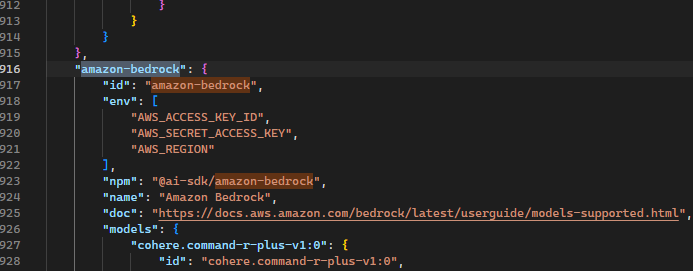
Then check the opencode documentation. Some providers support both configuration files and environment variables, so don’t waste time experimenting blindly. You need to configure them according to what each provider actually supports.
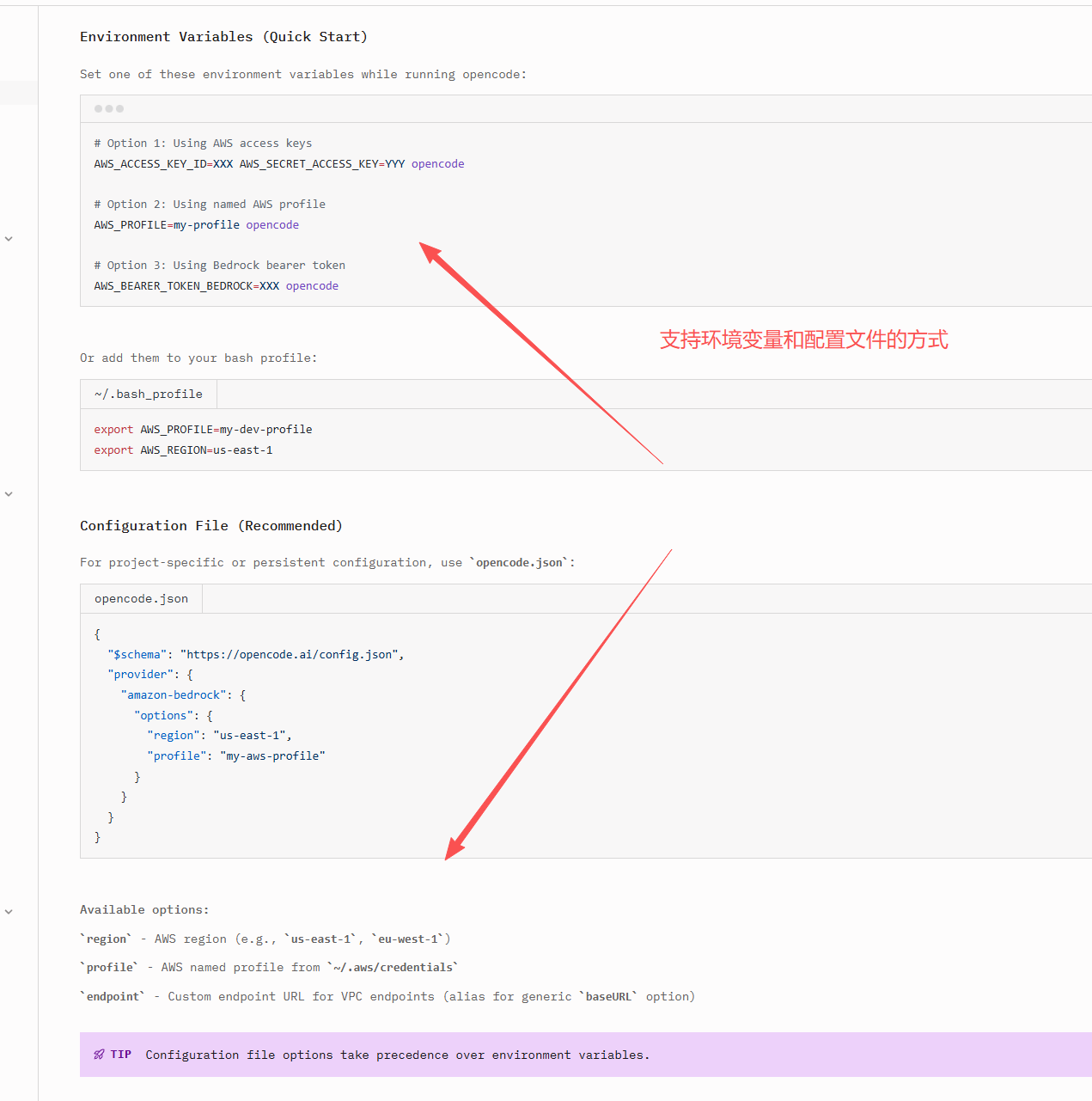
Configuring Custom openai
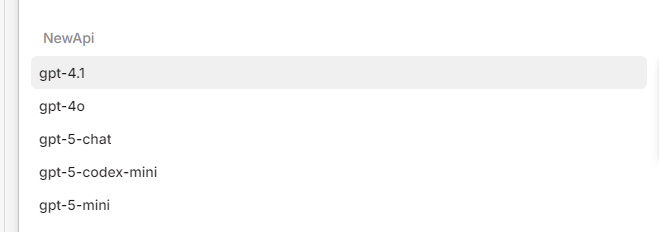
Custom openai configuration is relatively simple. You only need to configure it in .config\opencode\opencode.json like this.
{
  "$schema": "https://opencode.ai/config.json",
  "provider": {
    "NewApi": {
      "models": {
        "gpt-4.1": {
          "name": "gpt-4.1"
        },
        "gpt-4o": {
          "name": "gpt-4o"
        },
        "gpt-5-chat": {
          "name": "gpt-5-chat"
        },
        "gpt-5-codex-mini": {
          "name": "gpt-5-codex-mini"
        },
        "gpt-5-mini": {
          "name": "gpt-5-mini"
        }
      },
      "npm": "@ai-sdk/openai-compatible",
      "options": {
        "apiKey": "sk-666",
        "baseURL": "https://aaa.com"
      }
    }
  }
}
Configuring Azure
Add the Azure provider in opencode. The key can be anything, then add two environment variables: AZURE_RESOURCE_NAME and AZURE_API_KEY. Note that AZURE_RESOURCE_NAME is not the endpoint URL — it should be the resource name in Azure OpenAI.
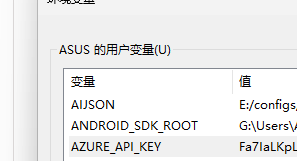
Then delete the Azure-related configuration in .local\share\opencode\auth.json.
Restart opencode and you can use Azure models. The advantage of this approach is that it has very good compatibility with Azure APIs.
Although this works, it does not allow custom model names and is not flexible. So below we will fully customize Azure using only the configuration file.
Open .config\opencode\opencode.json and configure the corresponding models:
{
  "$schema": "https://opencode.ai/config.json",
  "provider": {
    "MyAzure": {
      "models": {
        "gpt-4.1": {
          "name": "gpt-4.1"
        },
        "gpt-4o": {
          "name": "gpt-4o"
        },
        "gpt-5-chat": {
          "name": "gpt-5-chat"
        },
        "codex-mini": {
          "name": "codex-mini"
        },
        "gpt-5-codex-mini": {
          "name": "gpt-5-codex-mini"
        },
        "gpt-5-mini": {
          "name": "gpt-5-mini"
        }
      },
      "npm": "@ai-sdk/azure",
      "options": {
        "apiKey": "{your key}",
        "resourceName": "{resource name}"
      }
    }
  }
}
Or change it to:
      "options": {
        "apiKey": "{your key}",
        "baseURL": "https://{resource address}.cognitiveservices.azure.com/openai",
        "useDeploymentBasedUrls ": true
      }
After restarting opencode, it can be used. However, this will cause issues with the codex series models, and only chat models can be used.
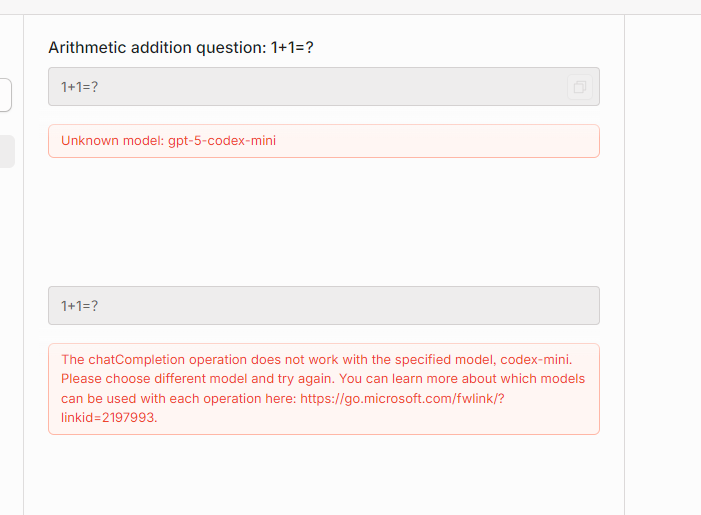
You can also change it to:
      "npm": "@quail-ai/azure-ai-provider",
      "options": {
        "apiKey": "{your key}",
        "endpoint": "https://{resource address}.services.ai.azure.com/models"
      }
However, in actual testing the codex series models still behave differently, and normal chat responses may also fail to stop correctly by default.
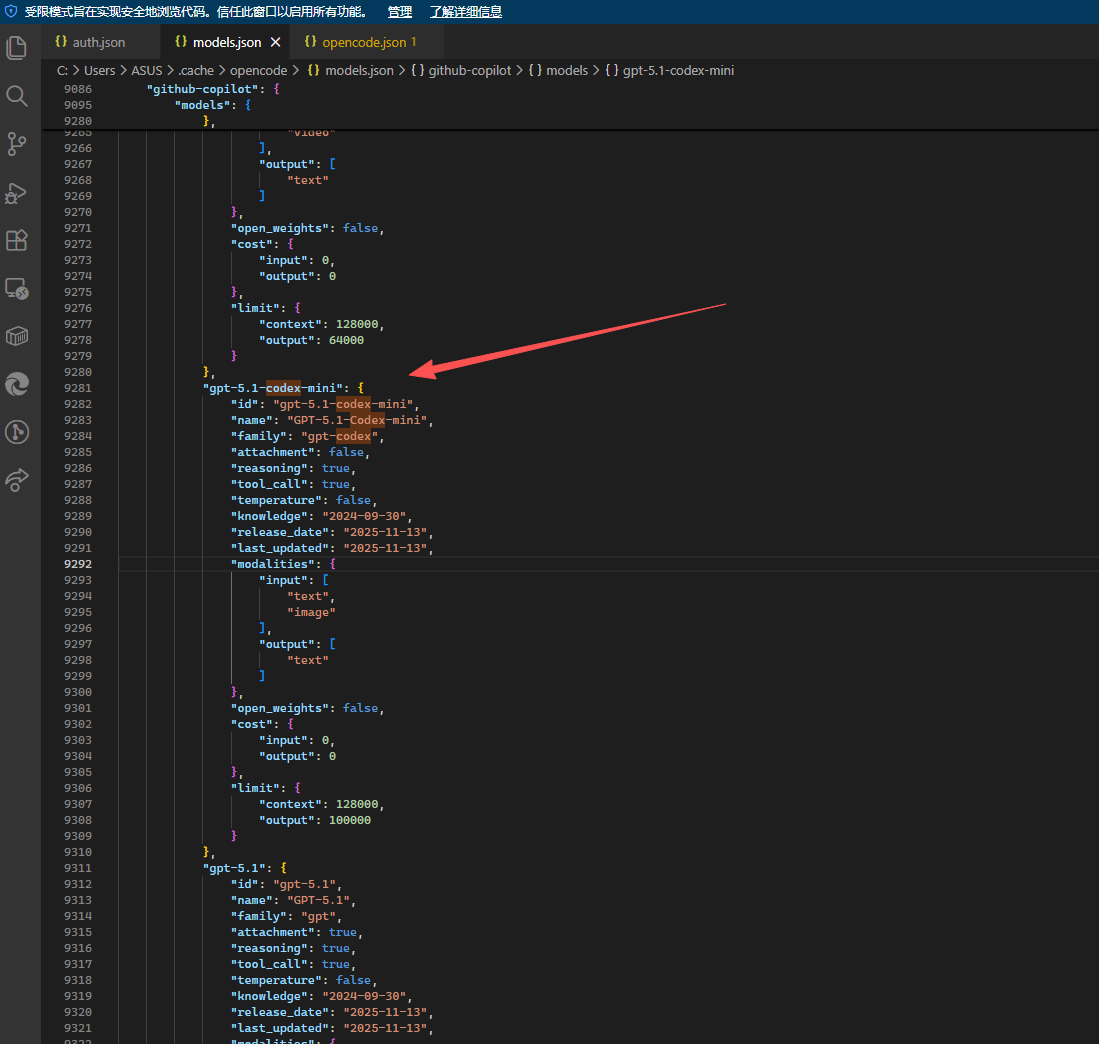
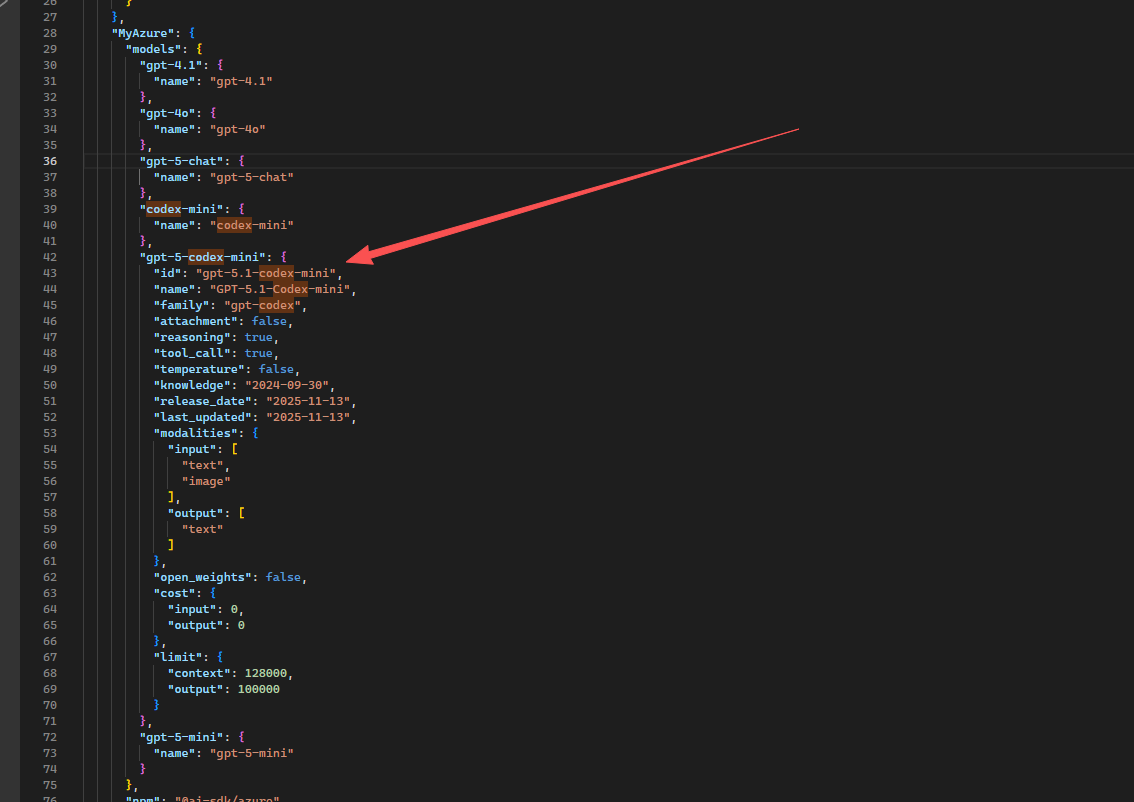
If you use custom configuration and find that some defaults are problematic, you can copy the configuration from models.json.

文章评论