折腾了好一段时间,office 365、outlook 等的授权验证方式过于麻烦,因此记录开发步骤。 大概开发过程如下: Go to register an Azure account, and then register the application. The tenant invites the user to join the organization. Use the application to obtain user authorization via the OAuth 2.0 link. Obta…
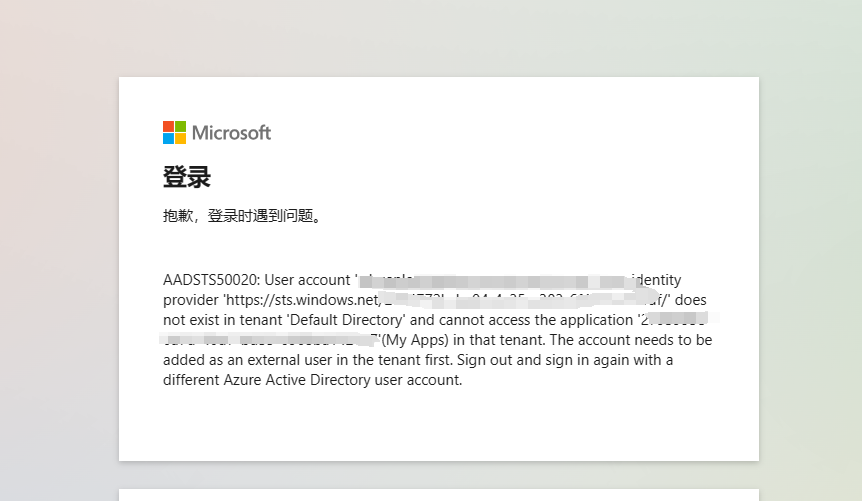
折腾了好一段时间,office 365、outlook 等的授权验证方式过于麻烦,因此记录开发步骤。 大概开发过程如下: 1,去注册 Azure 账号,然后进行应用注册。 2,租户邀请该用户加入组织中。 3,使用应用通过 OAuth 2.0 链接,获取用户的授权。 4,获取用户的 access_token 访问用户信息、替用户发送邮件等。 但是这些过程并不是一帆风顺,有很多曲折。比如不能跨租户访问等,必须先邀请用户加入组织。 否则会报错: AADSTS50020: User account 'xxx@xxx.onm…
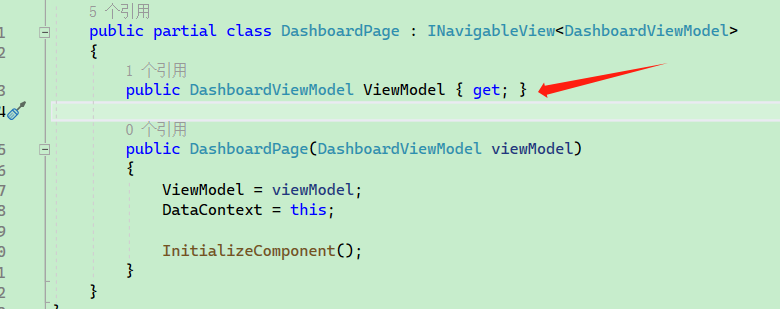
The CommunityToolkit.Mvvm package is mainly used for code generation, which helps reduce the amount of code users need to write. It facilitates the implementation of the MVVM design pattern in WPF, thereby lowering code complexity. To introduce the project pac…
包 CommunityToolkit.Mvvm 主要用于代码生成,能够为用户减少编写大量的代码,在 WPF 中可以实现 MVVM 设计模式,降低代码复杂度。 引入项目包: <PackageReference Include="CommunityToolkit.Mvvm" Version="8.2.1 "/> 要学习 MVVM,需要关注以下类型: CommunityToolkit.Mvvm.ComponentModel ObservableObject ObservableRecipient Observ…
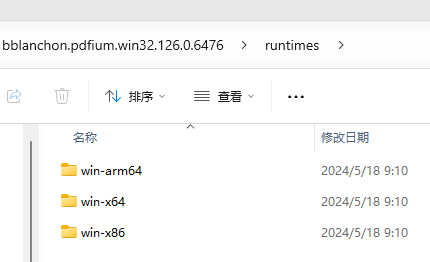
Spire.pdf and other libraries for printing PDFs require payment, so this article demonstrates printing using Google's open-source PDFium project, which is open-source and cross-platform. bblanchon.PDFium.Win32 is a library that wraps PDFium using C#. Introduci…
Spire.pdf 等打印 pdf 的库需要付费,因此本篇文章是通过使用 Google 开源的 PDFium 项目实现打印, PDFium 项目开源且跨平台。 bblanchon.PDFium.Win32 则是一个使用 C# 封装了 PDFium 的库。 引入三个库: <ItemGroup> <PackageReference Include="bblanchon.PDFium.Win32" Version="122.0.6259" /> <PackageReference Inclu…

图片转换需要安装:https://ghostscript.com/ 引入: <ItemGroup> <PackageReference Include="Magick.NET-Q16-AnyCPU" Version="13.4.0" /> <PackageReference Include="Microsoft.IO.RecyclableMemoryStream" Version="2.3.2" />…
图片转换需要安装:https://ghostscript.com/ 引入: <ItemGroup> <PackageReference Include="Magick.NET-Q16-AnyCPU" Version="13.4.0" /> <PackageReference Include="Microsoft.IO.RecyclableMemoryStream" Version="2.3.2" /> </ItemGroup> 定义转换配置: public class…

After installing the software, it requires an update. Once the update file is complete, the version number of the program in the registry also needs to be modified. After the software is installed, it will be written into the registry. Therefore, it is suffici…
自家的软件安装后,需要更新,更新文件完成后还需要修改注册表中关于程序的版本号。 软件安装后,会被写入注册表中。 所以只需要修改注册表的 DisplayVersion 即可,不同的程序可能还需要修改其它属性,例如 Version、DisplayName。 修改注册表可能需要管理员权限,这要看软件是安装到所有人可以使用,还是仅当前用户可以使用。 每个程序的 KEY 都是不同的,需要自行拼接。 static void Main(string[] args) { string code = "4444-4444-4444-…
The sample code is as follows: var oldPdf = PdfReader.Open("测试.pdf"); foreach (var oldPage in oldPdf.Pages) { // Insert a page PdfPage newPage = newPdf.AddPage(); // Query elements PdfDictionary? resources = oldPage.Elements.GetDictionary("/Reso…
示例代码如下: var oldPdf = PdfReader.Open("测试.pdf"); foreach (var oldPage in oldPdf.Pages) { // 插入一个页面 PdfPage newPage = newPdf.AddPage(); // 查询元素 PdfDictionary? resources = oldPage.Elements.GetDictionary([......]继续阅读
The source file is a PDF composed of various points, lines, text, and tables, and all content needs to be converted into image format and stored in a PDF. Introduction: <ItemGroup> <PackageReference Include="FreeSpire.PDF" Version="8.6.…
源文件是 PDF 全元素,也就是各种点线、文字、表格组成,需要将内容全部转成图片形式存储到 pdf 中。 引入: <ItemGroup> <PackageReference Include="FreeSpire.PDF" Version="8.6.0" /> <PackageReference Include="Microsoft.IO.RecyclableMemoryStream" Version="2.3.2" /> </ItemGroup> internal c…

ImageMagick is a powerful image processing library that supports over 100 major file formats (excluding sub-formats). Using Magick.NET, you can use ImageMagick in C#/VB.NET/.NET Core applications without the need to install ImageMagick on the server or desktop…
ImageMagick 是一个强大的图像处理库,支持100多种主要的文件格式(不包括子格式)。使用 Magick.NET,你可以在 c #/vb.net/. net Core 应用程序中使用 ImageMagick,而无需在服务器或桌面上安装 ImageMagick。 项目地址:https://github.com/dlemstra/Magick.NET 笔者推荐的原因除了其跨平台、开源,还要我其 API 简单好用。 nuget 搜索 ImageMagick 即可引用。 using ImageMagick; usi…
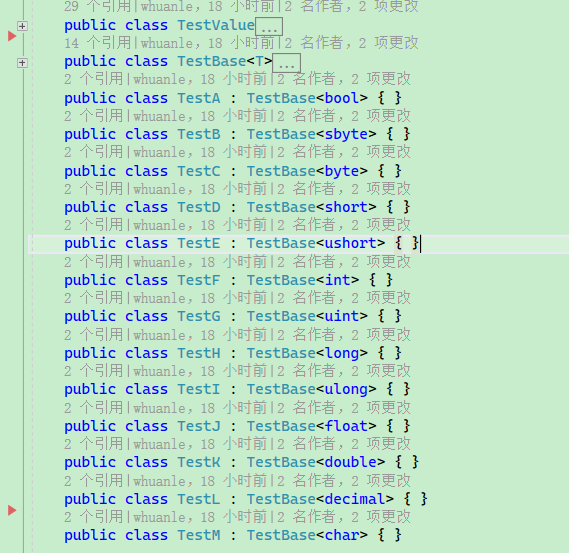
Maomi.Mapper Project address: https://github.com/whuanle/Maomi.Mapper Note: This project is for educational purposes only and has poor performance; do not use it in production environments. MaomiMapper is a framework that constructs object member mappings usin…
Maomi.Mapper 项目地址:https://github.com/whuanle/Maomi.Mapper 注:本项目用于教学目的,性能较差,请勿用于生产环境。 MaomiMapper 是一个使用表达式树构造生成对象成员映射的框架,即对象映射框架。 虽然 MaomiMapper 性能不啥样,但是代码注释也写得很齐全,适合读者研究反射、表达式树、类型转换等代码。 MaomiMapper 与 AutoMapper 对比: Method Mean Error StdDev Gen0 Allocated ASAut…
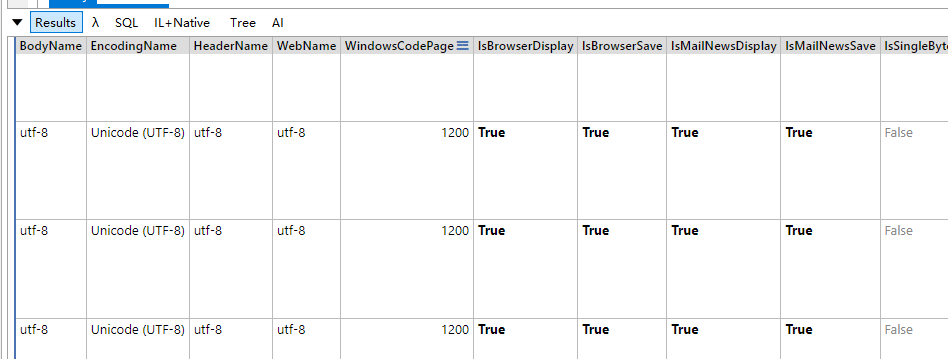
System.IO.Compression is an official release of a decompression toolkit that defaults to using UTF-8 encoding for decompressing files. However, on Windows, encoding can be quite chaotic; if files or directories have Chinese names, decompressed results may be g…
System.IO.Compression 是官方发布的一个由于解压缩的工具包,默认使用 utf8 编码解压缩文件。 但是在 Windows 上,编码比较混乱,如果文件或目录是中文名称,那么解压后会出现乱码,即使压缩包都是 UTF8 编码,.NET 解压也会出现乱码问题,所以需要使用 GB2312 编码解压。 但是 .NET 中默认是不包含 GB2312 编码的。 笔者说的不一定对,可能跟压缩文件也有关,总之, .NET 默认不支持 GB2312 编码,导致解压后中文文件名称乱码。 首先引入 System.Text…

站长简介
有趣的博主,小小程序员,业余摄影师,主要研究微服务架构、人工智能、kubernetes、istio、Devops、AI 等,主要语言是 C#、Go、Python。日常喜欢看书、写博客、摄影、运动、看风景。