[TOC] In business development, using database transactions is essential. Various ORMs are often used to execute database operations, simplifying code[......] 继续阅读
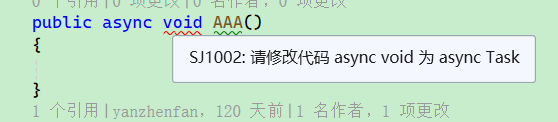
Inherit from DiagnosticAnalyzer. Detecting async void Register the listener: public override void Initialize(AnalysisContext context)[......]继续阅读
继承 DiagnosticAnalyzer 。 检测 async void 注册监听器: public override void Initialize(AnalysisContext context) { context.ConfigureG[......]继续阅读

A project contains Chinese string directory paths, which causes compilation errors when invoking PowerShell in Jenkins. Attempts to set environment va[......] 继续阅读
A 项目中含有中文字符串目录路径,导致使用 Jenkins 时调用 Powershell 编译报错。 无论是设置环境变量还是使用 chcp 命令等,均无效。 这是因为默认 csproj 是使用 utf8-bom 保存的。 这样的特性会导致在本地电脑开发环境中正常,但是在服务器中编译就会报错。 需要[......] 继续阅读

MainWindow window using Blazor WebView2: <Border Margin="0,0,0,0" Background="Transparent"[......]继续阅读
MainWindow 窗口使用 Blazor WebView2: <Border Margin="0,0,0,0" Background="Transparent" BorderThickness="0"[......]继续阅读

First, introduce PInvoke.net or Microsoft.Windows.CsWin32, refer to: https://www.whuanle.cn/archives/21436 Define two functions to get the screen dime[......] 继续阅读
先引入 PInvoke.net 或 Microsoft.Windows.CsWin32,请参考: https://www.whuanle.cn/archives/21436 定义两个获取屏幕去掉任务栏的长宽高函数: public static int GetSystemMetrics[......]继续阅读
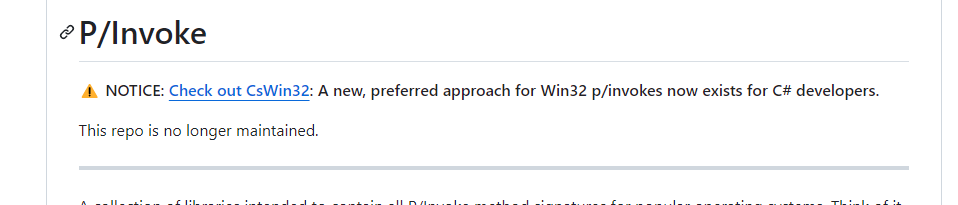
PInvoke.net is the official library for interacting with the Win32 API, but it has been archived. This means that the Microsoft.Windows.CsWin32 packag[......] 继续阅读
PInvoke.net 是官方用于操作 Win32 API 的库,但是已经归档了。也就是后续需要使用 Microsoft.Windows.CsWin32 来操作 win32 API。 但是 Microsoft.Windows.CsWin32 比较麻烦,因为 Microsoft.Windows.C[......] 继续阅读
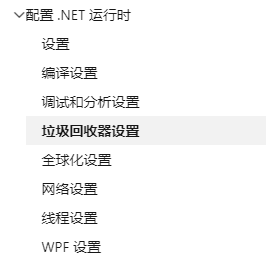
As shown in the figure: There are two configuration forms. One is to configure the template file within the project (for executable projects, not app[......] 继续阅读
如图: 有两种配置形式。 一种是在项目中(可以启动的项目,类库不行)配置模板文件,另一种是在项目编译之后配置。 第一种方法在项目中新建一个 runtimeconfig.template.json 文件。 示例如下: { "runtimeOptions": { "configProper[......]继续阅读
Create a new project that only uses netstandard2. The complete content of its csproj file is as follows: <Project Sdk="Microsoft.NET.Sdk"[......]继续阅读
新建一个项目,项目只能使用 netstandard2。 其 csproj 文件完整内容如下: <Project Sdk="Microsoft.NET.Sdk"> <PropertyGroup> <TargetFramework>netst[......]继续阅读
您大可以相信工良出品。本文从 C# 角度开始一点点编码,逐步了解 RabbitMQ 编程的各种细节,学会消息处理机制和多种场景下的开发细节。虽然文章比较长,但是不会啰啰嗦嗦说一堆理论。
您大可以相信工良出品。本文从 C# 角度开始一点点编码,逐步了解 RabbitMQ 编程的各种细节,学会消息处理机制和多种场景下的开发细节。虽然文章比较长,但是不会啰啰嗦嗦说一堆理论。
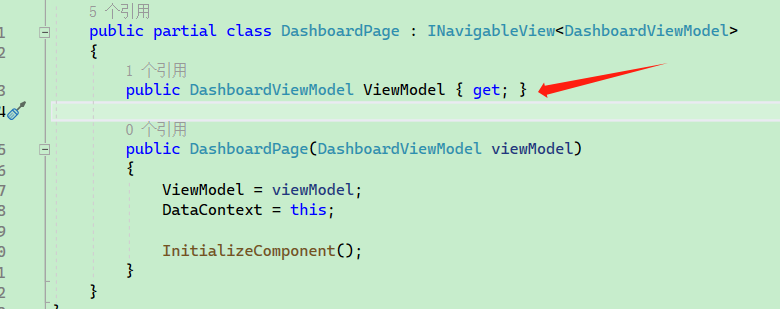
包 CommunityToolkit.Mvvm 主要用于代码生成,能够为用户减少编写大量的代码,在 WPF 中可以实现 MVVM 设计模式,降低代码复杂度。 引入项目包: <PackageReference Include="CommunityToolkit.Mvvm" Versio[......]继续阅读
The CommunityToolkit.Mvvm package is mainly used for code generation, which helps reduce the amount of code users need to write. It facilitates the im[......] 继续阅读
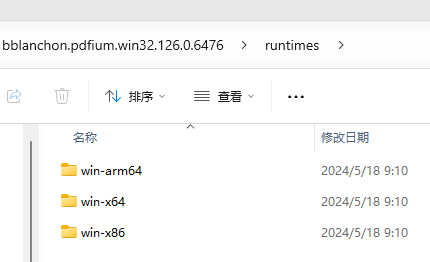
Spire.pdf 等打印 pdf 的库需要付费,因此本篇文章是通过使用 Google 开源的 PDFium 项目实现打印, PDFium 项目开源且跨平台。 bblanchon.PDFium.Win32 则是一个使用 C# 封装了 PDFium 的库。 引入三个库: <ItemGro[......]继续阅读

站长简介
有趣的博主,小小程序员,业余摄影师,主要研究微服务架构、人工智能、kubernetes、istio、Devops、AI 等,主要语言是 C#、Go、Python。日常喜欢看书、写博客、摄影、运动、看风景。